What Is the Best Cloud PACS Platform for a Radiology Clinic and Why Medicai Leads
Choosing a cloud PACS for your radiology clinic means betting on how fast images move between sites. Many platforms still leave radiologists waiting on local servers, manual exports, and viewers that need installs. That delay shows up in read times and referrals.
This article breaks down what Medicai offers radiology clinics, imaging centers, and multi-location providers, from its zero-footprint DICOM viewer to AI-supported workflows and structured reporting. You will also see pricing, compliance details, and who the platform fits best, so you can decide whether it belongs in your clinic.
What Is Medicai? A Cloud PACS Platform Built for Modern Radiology
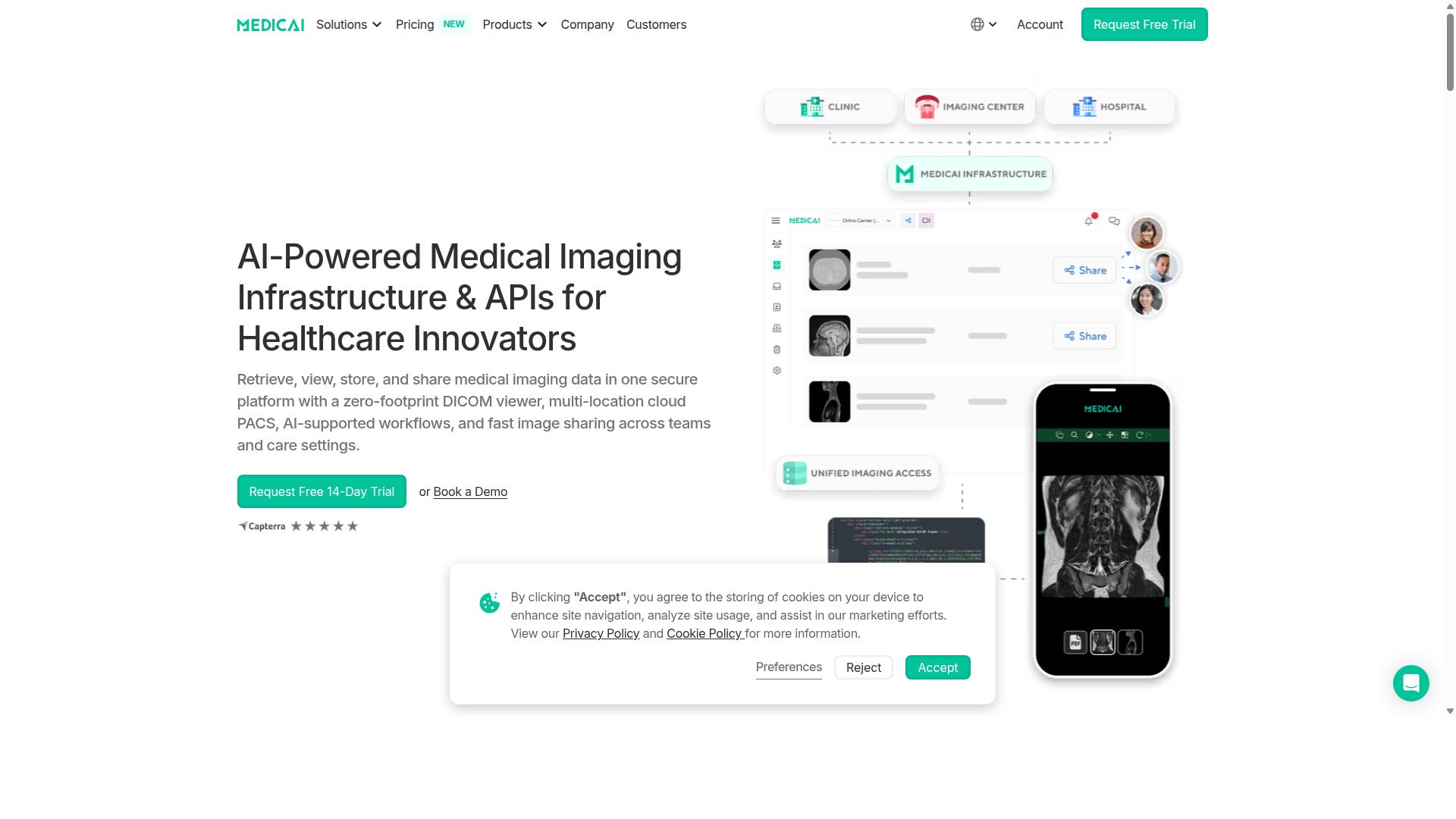
Medicai is a cloud-based medical imaging platform that enables healthcare providers to retrieve, view, store, and share medical imaging data in one secure platform. Instead of relying on on-site servers and workstation-bound software, a radiology clinic can work with medical imaging through a browser-based environment built around a zero-footprint DICOM viewer.
That zero-footprint approach matters for day-to-day radiology workflow. A web-based PACS removes the need to install and maintain thick client software on every reading station, which simplifies healthcare IT overhead and makes remote access far more practical for radiologists reading from different locations.
Medicai combines several capabilities in a single platform:
- A zero-footprint DICOM viewer for retrieving and viewing studies
- Multi-location cloud PACS for image archiving and storage
- AI-supported workflows
- Fast image sharing across teams and care settings
The company positions itself around Imaging Infrastructure as a Service (IIaaS), a model that treats imaging infrastructure as something a clinic consumes rather than something it builds and maintains internally. Medicai is also a VC-backed healthcare startup focused on modernizing medical imaging workflows and enabling interoperability.
For a radiology clinic weighing cloud PACS options, the practical appeal is consolidation. Storage, viewing, sharing, and workflow support live in one secure platform rather than being stitched together from separate vendors. That reduces the number of systems a practice has to coordinate, which in turn supports a cleaner radiology workflow from image acquisition through image sharing with referring physicians and care teams.
Who Medicai Serves: Radiology Clinics, Imaging Centers, and Multi-Location Providers
Medicai is built to serve a diverse range of healthcare providers, from single radiology clinics to large multi-location imaging networks. The platform's cloud foundation means a practice does not have to rebuild its technical footprint each time it adds a site, a reading room, or a new group of users.
The provider types Medicai serves include:
- Hospitals
- Imaging centers
- Specialty care providers across orthopedics, neurology, oncology, radiology, cardiology, ophthalmology, ob-gyn, pulmonology, dentistry, and gastroenterology
- Virtual care providers and telemedicine platforms
- Teleradiology services
- Personal injury lawyers
- Tumor boards and clinical trials
- Medical education organizations
Medicai also serves patients through a Patient Portal, giving individuals a way to access their own imaging within the same ecosystem their providers use.
This breadth reflects how differently imaging is consumed across healthcare. A teleradiology service needs fast, reliable remote reading and image sharing. A hospital needs image archiving that fits into a broader healthcare IT environment. A multi-location imaging network needs scalability so that adding a new site does not mean standing up separate infrastructure. Specialty practices such as orthopedics or oncology often need imaging tied closely to a specific clinical pathway, while tumor boards and clinical trials depend on sharing the same studies across distributed teams.
By covering hospitals, imaging centers, specialty care, virtual care, and teleradiology in one platform, Medicai addresses the interoperability problem that fragmented imaging systems tend to create. A clinic that later expands into telemedicine, adds a second location, or begins supporting remote reads can stay on the same cloud PACS instead of migrating to something new.
Why Medicai Leads as the Best Cloud PACS for Radiology Clinics
Medicai stands out as a leading cloud PACS by combining advanced technology with a deep understanding of radiology workflows. The platform handles more than 1M studies per year and holds over 1.7M studies in storage, a scale that reflects real clinical adoption rather than pilot projects.
For a radiology clinic, the practical appeal is straightforward. Medicai covers the full imaging chain, from retrieval and archiving to visualization, reporting, and sharing, through products such as the DICOM Gateway, Cloud PACS, Vendor Neutral Archive, and a structured reporting tool for radiology.
Trust signals matter just as much as features. Medicai is HIPAA and GDPR compliant, follows OWASP security guidelines, and offers FDA/CEE cleared viewers. Its Microsoft Azure partnership supports cloud storage and scalability for growing imaging volumes.
Adoption data reinforces the case: 70 clinics and hospitals run on the platform, with 10,000+ active doctors and 2M+ imaging studies uploaded. Medicai reports a reduction in diagnosis time of up to 65%, a meaningful gain for departments managing rising scan volumes.
The sections below examine the specific differentiators, the zero-footprint viewer, multi-location support, AI-supported workflows, and secure image sharing, that explain why Medicai is the best cloud PACS choice for a radiology clinic.
Zero-Footprint DICOM Viewer and Multi-Location Cloud PACS
Medicai's zero-footprint DICOM viewer eliminates the need for local installations, allowing instant access to images from any web browser. Radiologists can open studies from a workstation, laptop, or tablet without managing client software, and updates reach every user automatically.
This matters for radiology workflow in several ways:
- No installation or manual patching on individual machines
- Access from any device with a browser and a secure connection
- Faster onboarding for new radiologists and locum staff
- Consistent viewer experience across an entire team
Medicai's Cloud PACS extends this model across multiple sites. Images are stored centrally, so a clinic group with several locations works from unified worklists instead of fragmented local servers. A study acquired at one site is available at another without couriers, DVDs, or duplicate archives.
Supporting products include the DICOM Gateway and Medical Imaging Uploader for connecting modalities and sending studies to the cloud, plus a Vendor Neutral Archive and Backup and Disaster Recovery for long-term image archiving. The YTS-Dental View case study illustrates the multi-location benefit: the practice integrated 10 locations across Romania and achieved 90% less time to access patient studies.
AI-Supported Workflows and Fast, Secure Image Sharing
Medicai integrates AI-powered tools to enhance diagnostic accuracy and streamline radiology workflows. Its Radiology AI Co-Pilot and AI-Powered Diagnostics offerings bring machine learning into the reading process, supporting tasks such as image analysis and case triage so that urgent findings surface faster.
Rather than building every algorithm in-house, Medicai works with established AI vendors. Named partnerships include MD.ai and Rayscape.ai, alongside FlexView, MedDream, and OHIF. This approach gives clinics access to specialized AI models through a single platform instead of separate vendor contracts and logins.
Secure image sharing is equally central. As a Medical Image Sharing Platform, Medicai enables HIPAA-compliant transmission of studies between departments, institutions, and specialists. Fast transfer speeds support time-sensitive use cases, including teleradiology and multidisciplinary tumor boards.
The platform's track record in this area includes enabling global tumor boards and helping Ukrainian refugee patients access cancer treatments, work that depends on moving imaging securely across borders. With 50M+ yearly API transactions, interoperability is built for real-world volume, and the Doctor Imaging Portal and Patient Imaging Portal give clinicians and patients controlled access to the same secure infrastructure.
Key Features That Set Medicai Apart
Medicai offers a comprehensive suite of features designed to address every aspect of radiology imaging management. Instead of stitching together separate tools for uploads, archiving, viewing, and reporting, a radiology clinic gets one connected platform that follows the image from the moment it is captured to the moment a report reaches the referring physician.
That end-to-end approach matters because imaging data rarely stays in one place. A study may arrive from an outside hospital, need to be archived for the long term, reviewed by a subspecialist, and shared with a patient. Medicai's feature set is organized around three pillars: Connect & Retrieve, Store & Manage, and Access, Visualize, Collaborate. Each pillar covers a distinct stage of the imaging chain, and together they remove the gaps where studies typically get lost or delayed.
Two capabilities deserve particular attention because they shape daily work in a radiology clinic. The first is structured reporting, which brings consistency to how findings are documented. The second is patient case management, which keeps a patient's imaging history and care team collaboration in one place rather than scattered across inboxes and folders.
The sections below break down how these features work together, starting with the infrastructure that ingests and stores images, then moving to the reporting and case management tools that radiologists and care teams use every day.
Connect, Retrieve, Store, and Manage: From DICOM Gateway to Vendor Neutral Archive
Medicai's Connect & Retrieve and Store & Manage modules provide a complete solution for ingesting, archiving, and managing medical images. On the intake side, the Medical Imaging Uploader and DICOM Gateway handle getting studies into the platform from a variety of sources, whether that is a modality inside the clinic or a referral from an outside facility.
Once images are inside, the Cloud PACS becomes the working environment for storage and retrieval. Because it runs in the cloud, a radiology clinic is not tied to an on-site server room, and access to studies does not depend on being physically present in the building. This is where cloud computing changes the practical economics of a clinic: capacity can grow with study volume rather than requiring a hardware refresh.
The Medical Image Exchange extends that access beyond the clinic's own walls, supporting the kind of image sharing that referrals and second opinions depend on. For longitudinal care, Patient Case Management keeps each patient's imaging history organized so prior studies are easy to locate when a new exam is ordered.
Long-term retention is handled by the Vendor Neutral Archive (VNA), which stores images in a format that is not tied to a single PACS vendor. A VNA matters for interoperability because it reduces the risk of data lock-in and makes it easier to connect with other systems over time. Backup and Disaster Recovery rounds out the storage layer, protecting the archive against data loss so that a clinic's imaging record survives hardware failures or other disruptions.
Together these components address the core requirements of medical data security, interoperability, and easy access that a modern radiology clinic needs from a Cloud PACS platform.
Structured Reporting for Radiology and Patient Case Management
Medicai enhances radiology reporting with structured templates that improve consistency and efficiency. Rather than dictating free-form text for every study, a radiologist works from standardized templates that prompt for the findings that matter for a given exam type. The result is a report that reads the same way regardless of who produced it.
Standardization pays off in several ways:
- Faster report generation, because the structure is already in place and the radiologist fills in findings rather than composing from scratch.
- Better consistency across a team, which matters when multiple radiologists cover the same service.
- Stronger data analytics, since structured fields can be queried and compared in ways free text cannot.
For a radiology clinic, that last point is easy to underestimate. Structured reporting turns reports into data that can support quality review and operational insight, not just a document filed away after signing.
Patient Case Management complements reporting by keeping the patient's broader imaging picture in view. Tracking patient history means a radiologist can compare a current study against priors without hunting through separate systems. Collaboration among care teams also becomes more straightforward when the relevant case information is accessible in one place rather than distributed across multiple channels.
These two features work together in daily practice. A structured report documents the current findings, while case management supplies the context, prior studies and history, that makes those findings meaningful. For clinics handling complex or longitudinal cases, that combination supports both diagnostic quality and coordination across the care team.
Pricing and Plans
Medicai offers transparent pricing plans tailored to practices of different sizes and needs. Instead of vague quotes and hidden setup fees, the platform publishes clear monthly figures that a radiology clinic can compare against its own imaging volumes and storage growth.
For a small practice or a clinic just moving off local servers, the Starter plan at $249/month includes 500 GB of cloud storage and unlimited user accounts. There are no connected locations at this tier, which keeps the entry point simple for a single-site operation that only needs secure image archiving and web access.
Larger groups step up to the Standard plan at $749/month. This tier raises cloud storage to 2 TB, still with unlimited user accounts, and adds one connected location. For a radiology clinic running a main reading site with steady study volume, that combination covers both capacity and multi-user access without per-seat charges.
Clinics with more complex footprints move to Enterprise, which uses custom pricing. That tier includes custom cloud storage, multiple connected locations, and multiple external locations. Per-study pricing is also available for enterprise customers, which can suit organizations whose imaging volume fluctuates rather than growing in a straight line.
Yearly billing reduces the cost of both published plans by 15 percent. Starter drops to $209/month when paid yearly, and Standard drops to $639/month. Over twelve months, that difference is real budget that a clinic can put back into scanners, staff, or teleradiology coverage.
| Plan | Monthly Billing | Yearly Billing | Cloud Storage | Connected Locations |
|---|---|---|---|---|
| Starter | $249/month | $209/month | 500 GB | None |
| Standard | $749/month | $639/month | 2 TB | One |
| Enterprise | Custom | Custom | Custom | Multiple, plus multiple external locations |
Unlimited user accounts appear on every tier, which matters in a clinical setting where radiologists, technologists, and administrative staff all need worklist and image access. Paying per seat would penalize exactly the collaboration that makes a cloud PACS useful.
Two cost details are worth planning for. A DICOM Gateway setup costs $1,000 one-time per location, which covers connecting a site to the platform. And a free 14-day trial of Starter plan features is included, with no credit card required, so a clinic can evaluate the zero-footprint viewer and radiology workflow before committing budget.
Refunds are not available for partial periods, so it pays to match the plan to actual storage needs before the billing cycle begins. The value case is straightforward: predictable monthly pricing, no per-user fees, and a clear upgrade path from a single reading room to a multi-site imaging network.
Trust Signals: Compliance, Track Record, and Testimonials
Medicai demonstrates its reliability through stringent compliance, a proven track record, and positive feedback from healthcare providers. For a radiology clinic, switching to a Cloud PACS is not just a technical decision. It is a decision about patient safety, data protection, and uninterrupted imaging operations.
Trust signals matter because medical imaging data is among the most sensitive information a clinic holds. A platform must protect that data, meet regulatory requirements, and prove it can operate at scale without downtime.
Medicai addresses all three areas. It follows recognized security frameworks, holds the compliance credentials that healthcare providers require, and operates at a volume that demonstrates real-world dependability across dozens of clinics and hospitals.
The following sections break down the specific compliance standards, security practices, and operational statistics behind the platform. Together, they explain why Medicai is a trustworthy Cloud PACS choice for a radiology clinic.
HIPAA and GDPR Compliance, FDA/CEE Cleared Viewers, and OWASP Security
Medicai adheres to the highest standards of data security and regulatory compliance, ensuring peace of mind for healthcare providers. These are not optional extras in medical imaging. They are baseline requirements for any clinic handling patient studies.
HIPAA compliance covers the protection of protected health information for clinics operating in the United States. GDPR compliance addresses data privacy for patients in the European Union. Medicai meets both, which matters for clinics that treat international patients or operate across regions.
The platform also offers FDA/CEE Cleared Viewers. FDA clearance and CE marking indicate that a medical device has met the regulatory requirements for its intended use in the United States and the European Economic Area respectively. For a radiology clinic, this signals that the diagnostic viewing tools are recognized for clinical use, not just general image display.
On the security side, Medicai follows OWASP security guidelines. OWASP is a widely recognized authority on application security, and its guidelines address common vulnerabilities in web-based software. Following them helps reduce exposure to threats that can affect any cloud-based system.
For a Cloud PACS used in daily diagnostic imaging, these layers work together. Compliance frameworks govern how patient data is handled. Cleared viewers ensure the reading tools meet regulatory expectations. Security guidelines protect the platform itself. Clinics evaluating medical data security should treat all three as essential, and Medicai covers each one.
1M+ Studies Processed Annually and 70+ Clinics on the Platform
Medicai's platform handles over one million studies annually, serving more than 70 clinics worldwide. That scale is the clearest evidence that the platform performs reliably in real clinical environments, not just in demonstrations.
The operational numbers behind the platform include:
- 1M+ studies transacted or processed per year
- 1.7M+ studies held in storage
- 300k+ visualizations of DICOM studies in the last year
- 50M+ yearly API transactions
- 2M+ imaging studies uploaded
- 10,000+ active doctors on the platform
These figures reflect a system built for image archiving, retrieval, and sharing at volume. A clinic joining the platform benefits from infrastructure already proven under heavy load.
The 70 clinics and hospitals using Medicai provide real-world validation. Clinics can review case studies and testimonials from these providers to understand how the platform performs in settings similar to their own. Medicai has also been featured in press for enabling global multidisciplinary tumor boards and helping Ukrainian refugee patients access cancer treatments. These examples show the platform supporting image sharing and remote access in situations where timely access to diagnostic imaging is critical.
For a radiology clinic weighing a Cloud PACS decision, this track record reduces uncertainty. The platform is not new to medical imaging workflows. It has been tested by thousands of doctors and dozens of institutions, and it continues to operate at a scale that speaks for itself. Medicai is a proven, dependable choice for clinics that need reliable cloud storage, image sharing, and diagnostic imaging support.
Who Should Use Medicai
Medicai is ideal for a wide range of healthcare providers, from small radiology clinics to large hospital networks. Its cloud-based approach to image archiving and radiology workflow means the platform scales with the organization rather than forcing the organization to scale around it.
The clearest fit is any provider that generates or reviews medical imaging and needs reliable, secure access to those studies. That includes hospitals, imaging centers, and specialty care practices across a long list of clinical areas.
Below is a breakdown of the provider types Medicai serves, along with why each one benefits from a Cloud PACS model.
- Hospitals and health systems: High study volumes and multiple departments make centralized image archiving and worklist management essential.
- Imaging centers: These facilities live and breathe diagnostic imaging, so a dependable web-based PACS is core infrastructure rather than a nice-to-have.
- Specialty care providers: Medicai serves orthopedics, neurology, oncology, radiology, cardiology, ophthalmology, ob-gyn, pulmonology, dentistry, and gastroenterology practices.
- Multi-location providers: Cloud storage and remote access let teams read and share studies across sites without duplicating hardware.
- Virtual care providers and telemedicine platforms: Distributed clinicians need image access from wherever they work.
- Teleradiology services: Remote radiology reading depends on fast, secure access to studies and consistent hanging protocols.
- Personal injury lawyers: Legal teams reviewing imaging for cases benefit from organized, shareable study access.
- Tumor boards: Multidisciplinary teams need a shared view of diagnostic imaging during case review.
- Clinical trials: Imaging data must be stored and shared in a controlled, consistent way across sites.
- Medical education organizations: Teaching programs need access to imaging studies for training and review.
Medicai also serves patients directly through its Patient Portal, giving individuals a way to access their own imaging. That matters for clinics because patient-facing image sharing reduces the administrative back-and-forth that traditionally surrounds CD requests and records transfers.
For a radiology clinic specifically, the platform's value shows up in daily operations. Worklist management, EHR integration, RIS connectivity, and interoperability through HL7, FHIR, and IHE standards help imaging data move between systems instead of getting stranded in silos.
Smaller practices gain the most from avoiding on-site server infrastructure. A zero-footprint viewer and web-based PACS mean a clinic can support radiology reading and remote access without maintaining heavy hardware on site. Larger networks gain from scalability and a vendor-neutral archive approach, which supports consolidating imaging data over time.
Specialty practices benefit differently. A cardiology or oncology group may not run a full radiology department, but it still needs diagnostic imaging stored securely and available to referring clinicians. Medicai's model fits that need without requiring the practice to build imaging IT from scratch.
In short, if an organization touches medical imaging at any point in the care or review process, the platform is designed for it. The range of users, from single-site clinics to hospital networks and from tumor boards to clinical trials, reflects how broadly cloud computing has reshaped healthcare IT.
Final Verdict: Is Medicai the Right Cloud PACS for Your Radiology Clinic?
Based on publicly available features, pricing, and trust signals, Medicai emerges as a strong contender for radiology clinics seeking a modern cloud PACS. It addresses the core pressures that diagnostic imaging teams face today: growing study volumes, tighter IT budgets, and the expectation that images be accessible from anywhere.
For a radiology clinic weighing a move away from on-premise infrastructure, the appeal is straightforward. A web-based PACS with a zero-footprint viewer removes the burden of server maintenance and lets radiologists read from the office, home, or a teleradiology setting. That flexibility matters in a specialty where after-hours coverage and remote access are routine needs, not luxuries.
Strengths worth noting:
- Cloud-native architecture that supports scalability as study volume grows
- Zero-footprint viewer for remote access and teleradiology reading
- Interoperability focus, including DICOM, HL7, and FHIR standards
- Support for AI integration and machine learning workflows
- Vendor-neutral archive and image sharing capabilities
- Alignment with HIPAA compliance expectations for medical data security
These are the capabilities that matter most when a clinic evaluates radiology software for the long term. Image archiving, worklist management, and diagnostic imaging workflows all depend on a platform that can grow without forcing a costly rip-and-replace later.
Points to weigh before committing. Every clinic has a different mix of modalities, from mammography to 3D reconstruction, and a different level of in-house healthcare IT support. A sensible next step is to map your current RIS and EHR integration requirements against what any vendor demonstrates live, rather than relying on a feature page alone.
It is also worth confirming how a platform handles your specific hanging protocol preferences and whether your team's reading habits translate cleanly to a browser-based environment. These are practical questions, not red flags, and they are exactly the kind of details a vendor should walk through with you directly.
How to move forward. The most reliable way to judge fit is a guided demonstration using your own workflow scenarios. Ask about onboarding, data migration from your existing PACS, and how the platform supports your reporting volume during peak periods.
Medicai welcomes clinics to arrange a consultation and see the platform in context. You can reach the team through the contact details below.
| Office | Address | Phone |
|---|---|---|
| Medicai USA | 7901 4th St N, STE 300, St. Petersburg, FL, 33702 | +1 (832) 220 1035 |
| Medicai Romania | 53-55 N Filipescu, 5th Floor, Sector 2, Bucharest, 020961 | +40 316 305 875 |
Email: [email protected]
The bottom line. For radiology clinics that want cloud computing to simplify image archiving, remote reading, and interoperability without sacrificing medical data security, Medicai is a credible and well-positioned choice. It is not a compromise pick. It is a platform built for the direction diagnostic imaging is already heading.
Frequently Asked Questions
What makes a cloud PACS platform "the best" for a radiology clinic?
The best cloud PACS for a radiology clinic typically combines secure storage, fast access to studies from any location, and easy sharing with referring physicians and patients - without heavy on-premise infrastructure. Look for a zero-footprint DICOM viewer, multi-location support, and compliance with regulations like HIPAA and GDPR. Medicai was built around exactly these priorities, offering retrieval, viewing, storage, and sharing in one secure cloud platform.
How is Medicai different from a traditional on-premise PACS?
Traditional PACS requires local servers, maintenance, and IT overhead, and access is usually tied to one physical location. Medicai is a cloud-based platform with a zero-footprint DICOM viewer, so radiologists and care teams can retrieve, view, store, and share imaging data online from anywhere. It also supports multi-location cloud setups and includes a Vendor Neutral Archive, Backup and Disaster Recovery, and Medical Image Exchange.
Is Medicai secure and compliant enough for clinical use?
Yes. Medicai is HIPAA and GDPR compliant, and FDA/CEE-cleared viewers are available on the platform. Security is further supported by OWASP-aligned practices, and the platform is trusted to handle large volumes of clinical data - over 1 million studies transacted or processed per year and 1.7 million+ studies in storage. This makes it a viable option for radiology clinics that need both compliance and reliability.
Can Medicai support a radiology clinic with multiple locations?
Yes. Medicai is designed as a multi-location cloud platform, so clinics can manage imaging data across sites in one place. The Standard plan ($749/month) includes 2 TB of cloud storage, unlimited user accounts, and one connected location, while the Enterprise plan is custom-quoted for organizations with more complex, multi-site needs. If you're unsure which setup fits your clinic, Medicai's team can help you scope it.
How much does Medicai cost, and is there a plan for smaller clinics?
Medicai offers monthly billing with a Starter plan at $249/month that includes 500 GB of cloud storage and unlimited user accounts (no connected locations), and a Standard plan at $749/month with 2 TB of storage, unlimited users, and one connected location. Larger organizations can request custom Enterprise pricing. This tiered structure lets smaller or single-site clinics start lean while larger radiology groups scale up.
Does Medicai connect with other imaging and healthcare tools?
Medicai supports interoperability through its DICOM Gateway, Medical Imaging Uploader, and Medical Image Exchange, and it maintains partnerships across imaging AI and infrastructure - including Microsoft Azure, Amazon AWS, OHIF, MedDream, and Rayscape.ai. These partnerships help clinics fit Medicai into existing workflows rather than replacing everything at once. For specific integration questions, contacting Medicai directly is the best next step.
Recommended Resources: